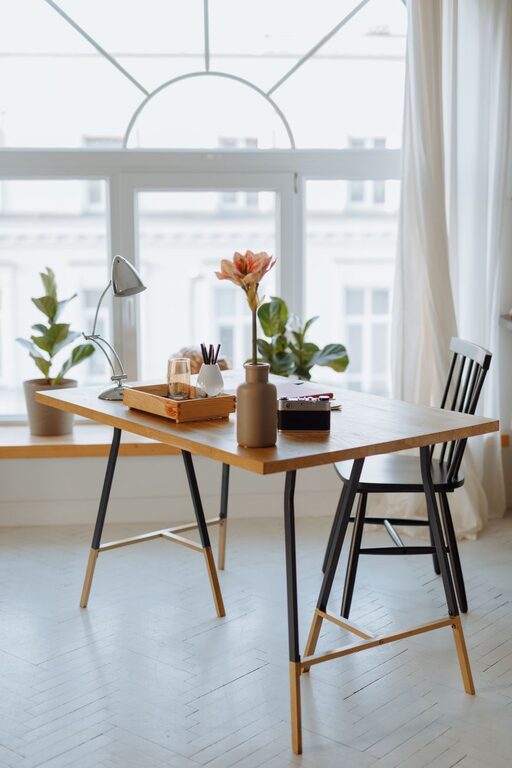




Creating a comfortable and efficient workspace at home can make a big difference in your daily work experience. Whether you’re working remotely, freelancing, or simply need a dedicated spot for tasks, a cozy and productive home workspace helps you stay focused without sacrificing comfort. Here are some practical tips to help you set up an ideal home office.
Choose the Right Location
The foundation of a good workspace is its location. Consider these factors when picking your spot:
– Natural light: Position your desk near a window to benefit from daylight. Natural light boosts mood and reduces eye strain.
– Quiet surroundings: Look for a quiet corner where you’re less likely to be interrupted. If that’s not possible, noise-cancelling headphones can help.
– Space availability: Make sure there’s enough room for your desk, chair, and any equipment you need, plus some extra space to move around.
If you don’t have a dedicated room, a well-chosen nook or a part of your living room can work, as long as it is organized and distraction-free.
Invest in Comfortable Furniture
Comfort directly impacts your productivity. Consider the following when choosing furniture:
– Ergonomic chair: A chair with good lumbar support and adjustable height encourages good posture and reduces discomfort during long hours.
– Appropriate desk: Choose a desk with enough surface area for your computer, tools, and paperwork. Standing desks or adjustable desks offer versatile working positions.
– Footrest and accessories: Items like a footrest or wrist supports can improve comfort and prevent strain.
A well-furnished workspace promotes healthy habits and allows you to focus on your tasks.
Organize for Efficiency
Clutter can drain energy and reduce your ability to concentrate. Use these tips to stay organized:
– Storage solutions: Use shelves, drawers, or filing cabinets to keep supplies and documents neatly stored.
– Desk organization: Keep only daily-use items within arm’s reach. Use desk organizers for pens, notebooks, and gadgets.
– Cable management: Use clips or sleeves to keep cables tidy and avoid a tangled mess.
A clean workspace is inviting and helps reduce distractions, making work more enjoyable.
Add Personal and Cozy Touches
Your workspace should feel inviting so you look forward to spending time there. Consider these ideas:
– Plants: Small plants add color and a natural vibe, and some can improve air quality.
– Soft lighting: Use warm desk lamps or string lights instead of harsh overhead lights to create a relaxed atmosphere.
– Textiles: A cozy rug or a soft blanket on your chair can make the space feel more comfortable.
– Personal items: Photos, artwork, or inspirational quotes can boost motivation without causing clutter.
Personalizing your workspace helps balance productivity with comfort.
Minimize Distractions
Staying focused in a home environment can be challenging. Here are some ways to limit distractions:
– Dedicated work hours: Set clear working hours to separate work time from personal time.
– Turn off notifications: Silence non-essential phone and computer alerts while working.
– Signal boundaries: If you share your home, politely communicate your work hours to family or roommates.
– Use noise controls: Try white noise machines or calming music to block out unwanted sounds.
Creating clear boundaries improves your concentration and work quality.
Use Technology Wisely
Technology is essential for a home office, but it should help, not hinder, your workflow:
– Reliable internet: A fast, stable connection is a must for video calls and accessing online resources.
– Functional equipment: Invest in a good-quality monitor, keyboard, and mouse that feel comfortable to use.
– Backup solutions: Use cloud storage or external drives to keep your work safe.
– Task management tools: Apps and digital planners can help organize your schedule and priorities.
Having the right tech setup reduces stress and makes your work more efficient.
Take Regular Breaks
Even the best workspace can’t guarantee productivity without breaks. Follow these suggestions:
– Follow the 20-20-20 rule: Every 20 minutes, look away from your screen at something 20 feet away for 20 seconds to reduce eye strain.
– Move around: Stand up, stretch, or take a short walk to get your blood flowing.
– Stay hydrated and eat well: Keep water and snacks nearby to maintain energy.
Taking breaks refreshes your mind and body, helping you stay productive longer.
—
By thoughtfully creating a cozy and productive workspace at home, you can improve your focus, comfort, and overall workday satisfaction. Start with a good location, invest in ergonomic furniture, keep things organized, personalize your space, minimize distractions, use technology wisely, and remember to take breaks. With these steps, your home workspace can become a place where work feels both effective and enjoyable.